









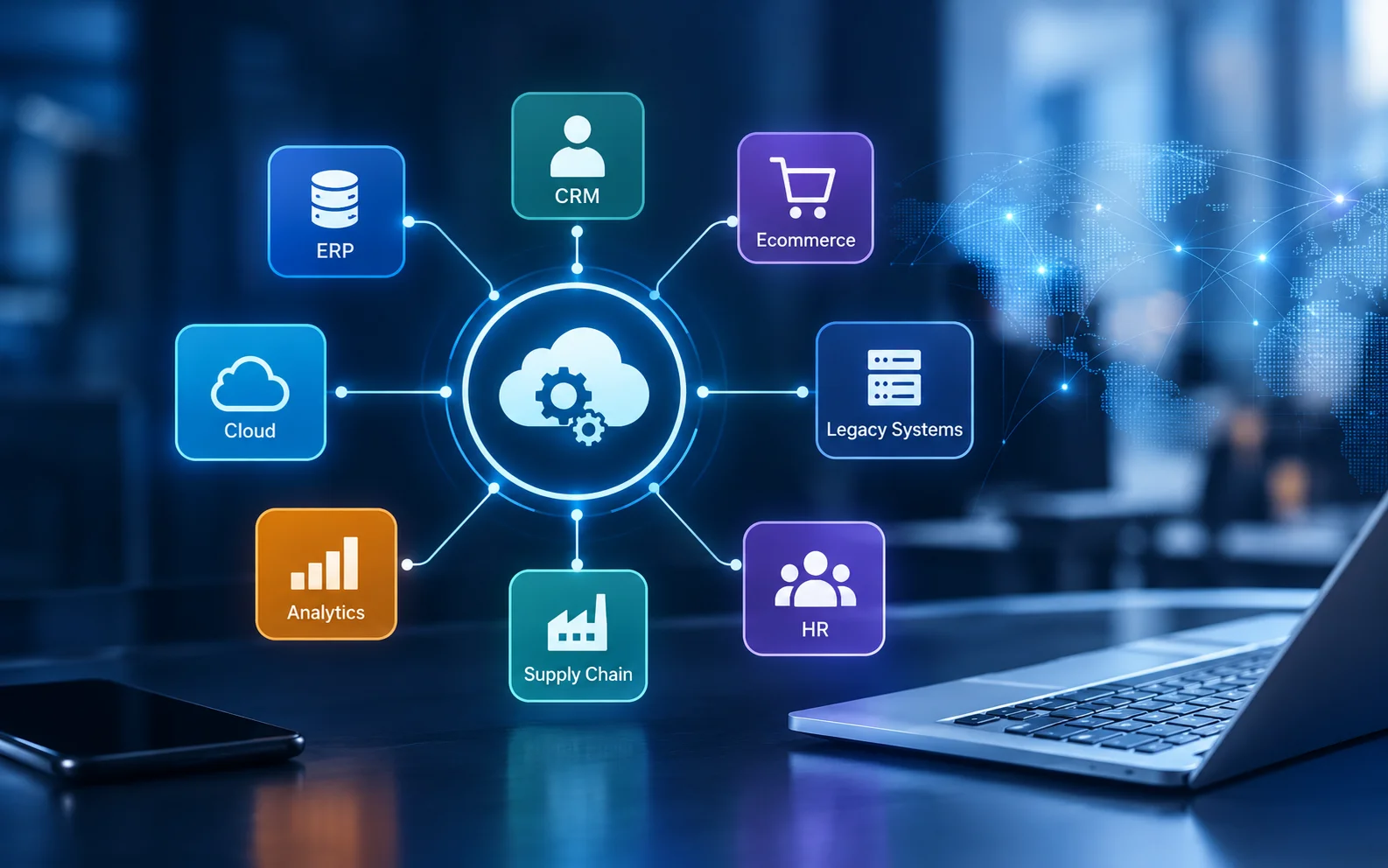
Key Takeaways:
- Enterprise application integration (EAI) connects ERP, CRM, ecommerce, cloud, legacy, and other business systems so they can exchange data and support shared workflows.
- Businesses use EAI to reduce manual data entry, improve data consistency, automate processes, and connect modern applications with existing systems
- Common approaches include API-led integration, ESB, iPaaS, hub-and-spoke, point-to-point, and event-driven integration.
- The right integration architecture depends on your applications, data volume, security requirements, real-time needs, legacy constraints, and future growth.
- EAI projects can range from simple system connections to large-scale enterprise modernization programs, so costs and timelines vary significantly.
- A strong integration strategy can support cloud migration, AI initiatives, automation, digital transformation, and legacy modernization.
“Your business can have the best applications in the world. But if they cannot talk to each other, they can still hold your business back.”
That is the problem enterprise application integration (EAI) is designed to solve.Your ERP manages financial data.
Your CRM stores customer information. Your ecommerce platform processes orders, while warehouse and analytics systems manage inventory and business insights. Legacy applications may also support critical processes.
Now ask yourself: How much of this information moves between your systems automatically?
Can a new order update inventory, trigger fulfillment, update the customer record, and reach finance without manual data entry?
That is where enterprise application integration comes in. EAI connects applications, databases, APIs, cloud platforms, and legacy systems so data can move between systems and workflows can run with less manual work.
The global enterprise application integration market was estimated at $23.01 billion in 2025 and is projected to reach $45.21 billion by 2030, growing at a 14% CAGR.
At Vrinsoft Technology, we help businesses connect applications through enterprise application integration services, API integration, cloud technologies, automation, and legacy modernization. Our enterprise solutions services support application integration, ERP, CRM, and enterprise modernization.
This guide explains the main EAI architectures, technologies, implementation steps, costs, and ways to connect legacy, cloud, and enterprise applications.
What Is Enterprise Application Integration (EAI)?
Enterprise application integration is the process of connecting separate business applications, databases, APIs, and enterprise systems so they can exchange information and support coordinated workflows.
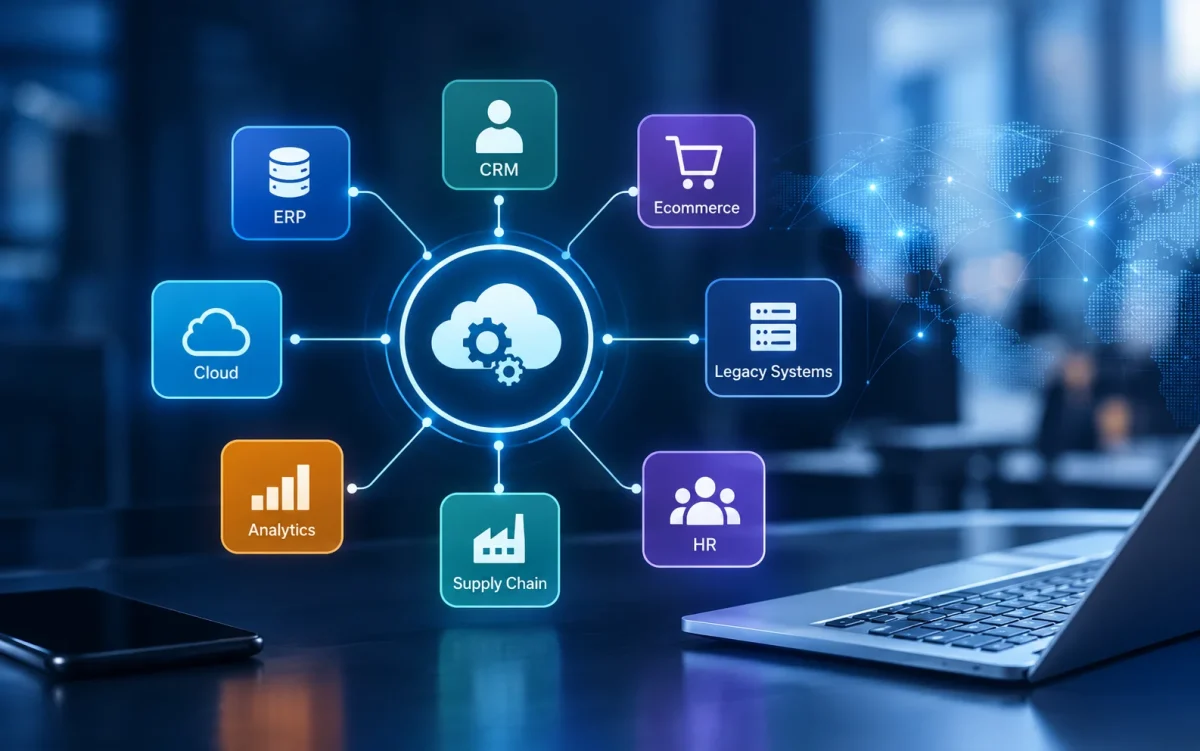
An EAI environment can connect ERP, CRM, ecommerce, finance, supply chain, HR, analytics, cloud, and legacy applications through APIs, middleware, integration platforms, message queues, or event-driven architecture.
Common enterprise application integration solutions include:
- ERP and CRM integration
- Legacy and modern application integration
- Cloud and on-premises integration
- API and database integration
- Ecommerce and inventory integration
- SaaS application integration
- Event-driven integration
- Cross-system workflow automation
The goal is reliable data movement while allowing your business to continue using valuable systems already in place.
Why Is Enterprise Application Integration Becoming a Business Priority?
Enterprise application integration matters because it connects disconnected business systems, reduces manual data movement, improves data consistency, automates cross-system workflows, extends the useful life of legacy applications, and creates a stronger data foundation for AI and analytics.
But what does that look like in real business?
A. Reduce Work Across Disconnected Systems
When CRM, ERP, finance, HR, or operational systems hold separate data, employees often rely on spreadsheets and manual updates. Through system integration and automation, we connect these environments to improve data flow and visibility.
B. Build a Stronger AI Foundation
AI needs reliable business data. Connecting customer, financial, operational, and product systems gives AI and analytics applications better access to the information they need.
C. Extend Legacy System Value
Replacing legacy systems can be costly. APIs, middleware, and phased modernization can connect existing applications with newer platforms. Our legacy system modernization services support this transition.
In short, EAI helps businesses connect existing systems while preparing for future technology needs.
What Are the Signs Your Business Needs Enterprise Application Integration?
You may need application integration when technology starts creating operational friction.
Look for these signs:
- Employees enter the same information into multiple applications.
- Different departments report different versions of the same data.
- Spreadsheets are used to transfer information between systems.
- Customer information is duplicated across platforms.
- Inventory or order updates take too long to reach other applications.
- Legacy applications cannot communicate easily with newer systems.
- Integration failures are difficult to detect or troubleshoot.
- Only a few employees understand how important integrations work.
- Adding another application increases technical complexity disproportionately.
If several of these issues sound familiar, adding another isolated integration may only postpone the larger problem.
Before investing in a new integration project, evaluate how your applications exchange data, where manual processes exist, which systems own critical business information, and whether current integrations can support future growth. Understanding these dependencies can help you prioritize the integrations that will deliver the greatest operational impact.
A better starting point is an integration assessment.
Map your applications, data sources, APIs, workflows, dependencies, and manual processes, then prioritize connections by business impact, risk, and future technology needs.
Quick EAI readiness check
Give yourself one point for every “yes”:
- Can your major applications exchange data automatically?
- Do you know which system owns each critical data type?
- Can you detect failed integrations quickly?
- Do your legacy systems have usable APIs or integration interfaces?
- Are your integration dependencies documented?
- Can your cloud and on-premises systems communicate reliably?
- Is important business data accessible for analytics and AI?
0-2 points: Your integration architecture may need significant attention.
3-5 points: You have integration capabilities, but architecture, governance, scalability, or monitoring may need improvement.
6-8 points: You have a stronger integration foundation, though continued governance and modernization still matter.
If your score is below six, reviewing your application architecture before the next major software or AI initiative could prevent additional technical complexity.
Need Java Developers Need to Connect Your Enterprise Applications?
Connect ERP, CRM, cloud, legacy, and other business systems with Vrinsoft’s enterprise application integration services.
What Are the Main Enterprise Application Integration Architectures?
There is no single enterprise application integration architecture that fits every organization. Your approach should reflect your applications, data requirements, transaction patterns, security controls, legacy constraints, and expected growth.
Here are the main architectures used in modern EAI environments.
1. Point-to-Point Integration
Point-to-point integration creates a direct connection between two applications.
For example:
CRM → Email Platform
It can work well for a small number of systems. As applications increase, however, the number of connections can become difficult to maintain.
2. Hub-and-Spoke Integration
A central integration layer acts as the hub while connected applications operate as spokes.
The hub can handle routing, transformation, and communication between systems, reducing the number of direct connections. It also becomes a critical component that requires strong monitoring and availability.
3. Enterprise Service Bus
An ESB provides a centralized layer for routing messages, transforming data, connecting protocols, and coordinating communication between enterprise applications.
ESBs can work well in established enterprise environments that already rely on centralized middleware and formal integration governance.
4. API-Led Integration
API-led architecture exposes reusable services that applications can access through APIs.
For example:
CRM → API → Mobile App
ERP → API → Ecommerce Platform
This approach supports modern applications, third-party integrations, and gradual legacy modernization.
5. Integration Platform as a Service
An iPaaS provides cloud-based capabilities for connecting applications, transforming data, managing workflows, and monitoring integrations.
It can be useful when your organization relies heavily on SaaS and cloud applications and wants connectors and integration workflows managed through a centralized platform.
6. Event-Driven Integration
Event-driven architecture allows applications to respond when a business event occurs.
For example:
Order Created → Inventory Updated → Fulfillment Triggered → Customer Notified
This model is useful for real-time processes, high transaction volumes, and systems that need to respond quickly to business events.
Which Enterprise Application Integration Approach Should You Choose?
The right approach depends on what you are connecting and how those systems need to communicate.
| Integration approach | Best suited for | Main consideration |
|---|---|---|
| Point-to-point | Small environments | Can become complex as systems increase |
| Hub-and-spoke | Centralized integration | Hub requires strong management |
| ESB | Established enterprise environments | Requires governance and maintenance |
| API-led integration | Modern and connected applications | API security and lifecycle management |
| iPaaS | Cloud and SaaS-heavy environments | Connector and platform capabilities |
| Event-driven integration | Real-time workflows | Event reliability and monitoring |
The important question is not simply which technology is most popular.
Ask yourself: What systems need to connect? What data needs to move? How quickly must it move? And what should happen when something fails?
Those answers provide a much stronger starting point for choosing an enterprise application integration platform, architecture, or hybrid approach that fits your business.
What Are the Most Important Enterprise Application Integration Technologies?
Enterprise application integration technologies typically fall into several categories.
- APIs: Connect internal applications, SaaS platforms, mobile applications, web applications, and third-party services.
- Middleware: Provides a layer for routing, transformation, messaging, orchestration, and application communication.
- Adapters and Connectors: Connect applications, databases, APIs, and legacy systems through prebuilt or specialized interfaces.
- Message Queues: Support asynchronous communication and reduce direct dependencies between applications, which is useful for workloads that fluctuate.
- Integration Platforms: Provide connectors, workflow management, data transformation, monitoring, security, and development tools.
- Data Transformation and Mapping: Converts data formats and field structures so different systems can exchange information consistently.
- Event Streaming: Allows systems to publish and consume business events in real time for use cases such as ecommerce, logistics, finance, and manufacturing.
- Data Integration: Moves, transforms, synchronizes, and governs information across databases and data environments.
Most large organizations use a combination of these technologies based on their applications, data requirements, integration architecture, and business processes.
What Are the Popular EAI Tools and Platforms?
Popular enterprise integration platforms include MuleSoft Anypoint Platform, Boomi, Workato, SnapLogic, IBM App Connect, Microsoft Azure Logic Apps, Oracle Integration, and SAP Integration Suite.
When comparing platforms, look at:
- Existing application connectors
- API management capabilities
- Data transformation
- Workflow orchestration
- Monitoring and error handling
- Security controls
- Deployment options
- Scalability
- Licensing costs
- Developer experience and support
Your architecture should guide your platform selection. Choosing a platform first and forcing your applications into it can create unnecessary complexity.
Some Real-World Enterprise Application Integration Examples Businesses Must Know
Real-world enterprise application integration examples show where connected systems can remove manual handoffs and improve business processes.
1. CRM and ERP Integration
A CRM manages customer and sales information while an ERP manages finance, inventory, procurement, and operations.
A connected workflow could look like:
CRM Opportunity → Customer/Order Data → ERP → Invoice → CRM Status
This gives sales and operations a more consistent view of customer and order information.
2. Ecommerce and Inventory Integration
An ecommerce platform can connect with ERP and warehouse systems to synchronize products, pricing, inventory, orders, shipping, and returns.
When a customer places an order, inventory can update automatically while fulfillment and customer communications are triggered through connected workflows.
3. Manufacturing Integration
Manufacturers often need to connect ERP, production, warehouse, procurement, and supplier systems.
For example:
Production Data → Inventory Requirements → Procurement → Supplier → ERP
This can reduce manual transfers between production and procurement teams.
4. Mobile and Digital Applications
Mobile and web applications often need access to enterprise systems without directly exposing those systems.
A common architecture is:
Mobile App → API → CRM/ERP → Business Process
Healthcare and financial services can also benefit from application integration, with additional requirements around access control, monitoring, data protection, and auditability.
Should You Integrate a Legacy System or Replace It?
This is one of the most important decisions in enterprise integration.
You do not have to treat the decision as simply “keep the system” or “replace the system.”
| Factor | Integration | Replacement |
|---|---|---|
| Business value | High | Low or declining |
| Data importance | High | Low or easily migrated |
| Replacement cost | Very high | Manageable |
| API availability | Possible | Usually stronger |
| Technical debt | Moderate | High |
| Long-term role | Temporary or phased | Strategic modernization |
Integration can make sense when a legacy system still supports important business processes and replacing it immediately would create significant cost or disruption.
Replacement becomes more attractive when the system is insecure, expensive to maintain, impossible to extend, or actively blocking new business initiatives.
Our CRM and ERP work can include API integration, data migration, legacy modernization, workflow alignment, and cross-platform integration.
What Is the Hidden Cost of Disconnected Enterprise Systems?
The cost of disconnected systems rarely appears as one line item.
It is distributed across employee time, support, reporting, rework, delays, maintenance, customer service, and missed opportunities.
You might pay for:
- Manual data entry
- Duplicate records
- Spreadsheet reconciliation
- Custom one-off integrations
- Integration troubleshooting
- Delayed reporting
- Workflow bottlenecks
- Legacy maintenance
- Additional support resources
- Slow product development
This is why the cheapest integration decision today can become an expensive architecture decision later.
A broader integration roadmap helps you identify which connections deserve investment first, and which should be addressed as part of modernization.
What Are the Common Enterprise Application Integration Challenges?
What can make enterprise application integration difficult? Here are the key challenges to address before connecting your systems.
- Legacy Constraints
Older systems may have limited APIs, proprietary protocols, outdated databases, or undocumented dependencies.
- Poor Data Quality
Connecting two systems does not automatically make their data consistent. You may need data cleansing, validation, deduplication, and ownership rules before integration.
- Security Risks
Each new connection creates another path through which data can move. Security must cover APIs, credentials, endpoints, messages, data transfer, and monitoring.
- Integration Sprawl
Building individual custom connections whenever a new application arrives may solve an immediate requirement but create long-term maintenance work.
- Failure Management
What happens when one application becomes unavailable?
A resilient architecture should account for retries, queues, alerts, logging, recovery, and transaction handling.
- Lack of Ownership
Integration problems can become difficult to resolve when no team owns the source data, integration logic, monitoring, or failure response.
That is why governance needs to be defined alongside technical architecture.
What Are the Best Practices for Enterprise Application Integration?
How can you make EAI work effectively? Start with these practical best practices for planning and managing application integration.
1. Start with business-critical workflows
Map the processes that cause the most manual work, delays, errors, or customer friction.
You might find that integrating two systems around one high-value workflow creates more impact than connecting ten systems without a clear business objective.
2. Prioritize integrations by business value
Classify integrations according to factors such as:
- Business impact
- Data sensitivity
- Transaction volume
- Operational dependency
- Customer impact
- Implementation complexity
- Future scalability
This helps you build a practical roadmap instead of attempting everything simultaneously.
3. Define data ownership
For every important data element, determine which system is the authoritative source.
For example, your ERP might own financial records while your CRM owns customer engagement data.
Clear ownership reduces conflicting updates.
4. Design for scalability
An integration that works for 10,000 transactions today may struggle at 100,000 transactions tomorrow.
Consider transaction volume, concurrency, peak loads, data growth, API limits, and future applications before selecting an architecture.
5. Build security into the architecture
Use appropriate authentication, authorization, encryption, secrets management, network controls, and monitoring.
Sensitive business information should only move between systems when there is a clear business and security requirement.
6. Monitor integrations continuously
Monitoring should show whether integrations are running successfully and help you identify failures before they become major operational problems.
Track API errors, failed messages, processing times, data mismatches, system availability, and other relevant metrics.
7. Plan for AI readiness
AI initiatives depend heavily on accessible, reliable, governed data.
If customer, operational, financial, and product information is trapped inside disconnected systems, building useful AI workflows becomes harder.
Your integration strategy can therefore become part of your AI strategy.
For example:
ERP + CRM + operational data → governed data layer → AI workflow
This is one reason integration deserves attention before adding AI capabilities to disconnected business processes.
How Do You Plan and Implement Enterprise Application Integration?
A practical EAI implementation starts with your existing systems and business priorities.
Successful enterprise application integration starts long before development begins. Organizations should first assess application dependencies, API availability, data ownership, security requirements, transaction volumes, and real-time processing needs. This helps determine the most suitable architecture, integration technologies, and implementation roadmap.
A phased approach can reduce risk while giving your team opportunities to validate each stage.
1. Audit Your Current Systems
Review your ERP, CRM, databases, cloud applications, APIs, legacy systems, existing integrations, manual transfers, and disconnected workflows.
2. Prioritize the Right Integrations
Rank potential integrations by business value, customer impact, complexity, risk, and urgency.
Start where integration can reduce significant manual work, errors, delays, or operational costs.
3. Define Data Ownership
Establish which system owns each critical data type.
For example:
CRM → Customer Data
ERP → Financial Data
Warehouse System → Inventory Data
This prevents conflicting records and unclear responsibilities.
4. Select the Architecture
Choose between API-led integration, ESB or middleware, iPaaS, event-driven architecture, or a hybrid approach.
Consider data volume, real-time requirements, security, legacy constraints, existing infrastructure, and future growth.
5. Build a Pilot
Start with one high-value workflow. Validate data mapping, API connectivity, authentication, business logic, performance, and system communication before expanding.
6. Test Integration Failures
Test API downtime, invalid records, duplicate data, authentication failures, timeouts, failed messages, retries, and recovery.
A successful integration must account for what happens when systems behave unexpectedly.
7. Expand, Monitor, and Optimize
Once the pilot works, expand to additional workflows while monitoring API performance, message delivery, data accuracy, availability, and failures.
We can assess your current environment, define an integration architecture, build the required connections, automate workflows, and support ongoing optimization through our engineering services.
How Much Do Enterprise Application Integration Services Cost?
Enterprise application integration cost can range from around $10,000 for a simple connection to $500,000+ for complex enterprise integration programs.
Your actual cost depends on the systems involved, integration complexity, data requirements, and implementation scope.
| EAI Project Type | Indicative Cost |
|---|---|
| Simple 2-system integration | $10,000–$30,000 |
| CRM, ERP, or ecommerce integration | $25,000–$75,000 |
| Multi-system integration | $75,000–$250,000 |
| Enterprise integration platform | $150,000–$500,000+ |
| Legacy + cloud transformation | $500,000–$1M+ |
These figures are planning ranges rather than fixed prices.
Major cost factors include the number of applications and interfaces, API availability, legacy complexity, data migration and transformation, security requirements, real-time processing, platform licensing, testing, monitoring, and ongoing support.
At Vrinsoft, we scope application integration solutions around your existing systems, workflows, data, and technology roadmap rather than applying one standard project price.
How Does EAI Support Cloud, AI, and Digital Transformation?
Your technology environment will continue to change.
You may add a SaaS platform this year, migrate an application to the cloud next year, and introduce AI-powered workflows after that.
Integration needs to account for that roadmap.
Cloud Integration
A hybrid environment may include on-premises ERP systems, private infrastructure, public cloud services, and SaaS applications.
Cloud integration connects these environments so applications can exchange information and support shared workflows.
AI Integration
AI applications may need information from CRM, ERP, knowledge bases, analytics platforms, customer-support applications, and operational systems.
EAI can connect those sources with AI applications and automated workflows.
Our AI positioning specifically includes integration into enterprise systems alongside secure data handling, scalable deployment, and ongoing support.
Digital Transformation
Digital transformation becomes harder when every new application creates another isolated data store.
An integration strategy lets new applications participate in existing business processes rather than operating as separate technology islands.
Mergers and Acquisitions
After an acquisition, two businesses may have separate CRMs, ERPs, identity systems, finance applications, and data stores.
Integration can provide a phased way to connect operations while longer-term platform consolidation decisions are made.
When Should You Hire Enterprise Application Integration Services?
You should consider professional enterprise application integration services when system connectivity has become too complex to handle as isolated development tasks.
This may happen when:
- You are replacing or upgrading an ERP or CRM.
- You are modernizing legacy software.
- You are moving workloads to the cloud.
- You are connecting multiple SaaS applications.
- You are launching a digital product around existing enterprise systems.
- You are integrating technology after a merger or acquisition.
- You need real-time data across departments.
- You want to automate cross-system workflows.
- Existing integrations are difficult to monitor.
- You are preparing business data for analytics or AI.
- You need APIs around older applications.
As a top software development company, we can evaluate your current application environment, identify integration dependencies, define the target architecture, and develop a phased implementation strategy.
How Does Vrinsoft Help With Enterprise Application Integration?
Your integration strategy should solve the problems your business is facing today while leaving room for the systems you may add tomorrow. At Vrinsoft Technology, we assess how your applications, data, APIs, and workflows currently work together, then build an integration approach around your priorities.
We can help you with:
- Connect critical systems: Link ERP, CRM, ecommerce, cloud, databases, and legacy applications.
- Automate workflows: Move data between systems and reduce repetitive manual work.
- Modernize legacy systems: Connect older applications with newer platforms through APIs and modern integration methods.
- Build secure APIs: Create reliable connections for internal, external, and third-party applications.
- Prepare for growth: Design integration architecture that can support new applications, data, and business processes.
With 16+ years of experience, 2,500+ projects, and 900+ clients, businesses across USA and worldwide can hire software developers in India to support enterprise application development, integration, APIs, cloud, and modernization projects.
FAQs About Enterprise Application Integration
Get clear answers to common questions about EAI, costs, approaches, and implementation.
Q1: What is enterprise application integration?
Enterprise application integration connects separate applications, databases, APIs, and enterprise systems so they can exchange data and support shared business workflows.
Q2: What are the main types of enterprise application integration?
The main EAI approaches include point-to-point integration, hub-and-spoke, enterprise service bus, API-led integration, iPaaS, and event-driven integration. Large enterprises may combine several approaches within one architecture.
Q3: What is the difference between EAI, ESB, API-led integration, and iPaaS?
EAI is the broader integration strategy. ESB uses centralized middleware, API-led integration uses reusable APIs, and iPaaS provides cloud-based tools for connecting applications, data, and workflows.
Q4: How much does enterprise application integration cost?
Enterprise application integration can cost roughly $10,000–$30,000 for simple connections and $75,000–$250,000 for multi-system projects. Complex legacy and cloud programs can exceed $500,000.
Q5: How long does an enterprise application integration project take?
A focused integration may take several weeks, while multi-system enterprise projects can take several months. Timeline depends on application count, APIs, legacy dependencies, data migration, testing, security, and workflow complexity.
Q6: Can EAI connect legacy systems with cloud applications?
Yes. EAI can connect legacy and cloud applications through APIs, adapters, middleware, messaging, iPaaS, or hybrid architectures, allowing businesses to modernize gradually without immediately replacing every existing system.
Build a Connected Enterprise With Vrinsoft
Disconnected applications can slow operations, create data gaps, and make growth harder. A strong integration strategy connects critical systems and creates a better foundation for automation, cloud, AI, and future applications.
At Vrinsoft Technology, we help businesses integrate and modernize enterprise applications through API development, legacy modernization, cloud integration, workflow automation, and enterprise software development.
View our case studies, and visit our Behance and Dribbble profiles to see our digital work.
The right strategy starts with your current environment. Which systems hold critical data? Where does manual work happen? Which workflows affect customers or revenue?
We can help you assess these dependencies and build a practical roadmap for integration, modernization, and automation.
If disconnected systems are slowing your operations, contact our team to discuss your enterprise application integration requirements.


 sales@vrinsofts.com